Installation
pip install (Linux, macOS & Windows)
This method should work with a number of Python versions, but we strongly recommend that you use Python 3.10. Older Python versions are no longer tested and may not work correctly. Newer Python versions may not have wheels for all required dependencies. For Linux the install script is recommended.
You can install psychopy-bids and its dependencies by:
If you prefer not to install all the dependencies (e.g. because the platform or Python version you’re working on doesn’t have that dependency easily available) then you could do:
For further information on pip visit pip install - pip documentation.
Standalone PsychoPy (macOS & Windows)
For the simplest installation, download and install the standalone package. You can find all versions on PsychoPy releases on github. Use at least version 2023.1.0 or later.
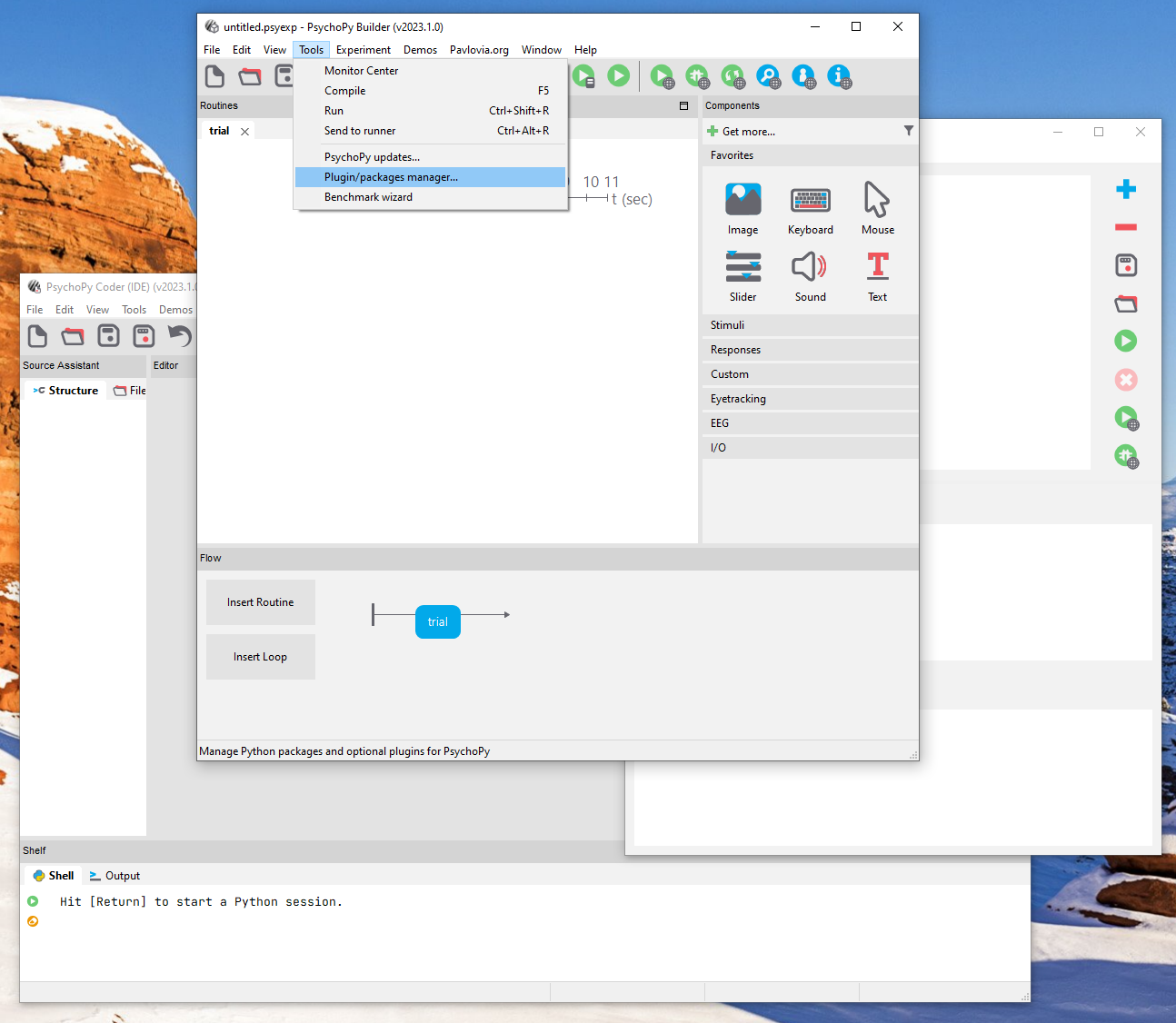
First, start PsychoPy and select Plugin/packages manager... from the Tools menu.
There are now three different ways in which you can install psychopy-bids.
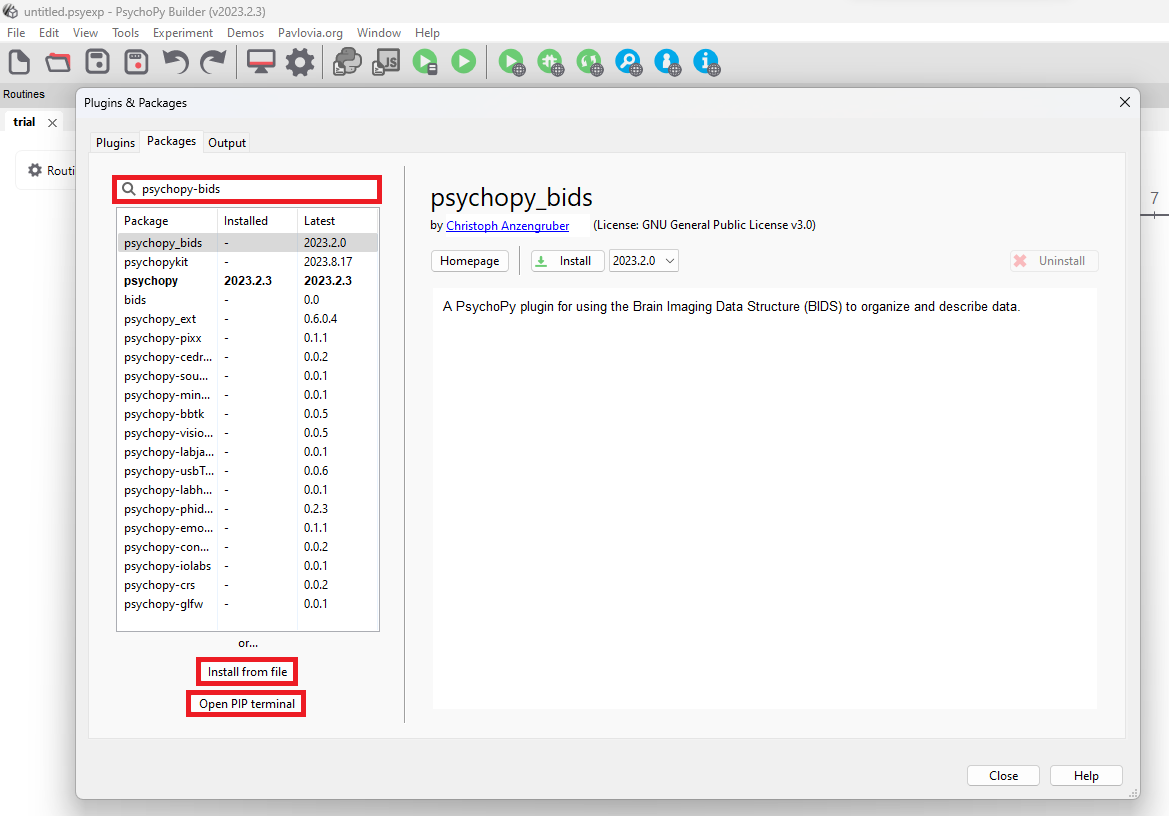
- Option 1 - Search package (Recommended): Search for psychopy-bids using the search bar. Then select the package below, decide which version you want to install and click Install to complete the process.
- Option 2 - Install from file: Click Install from File, locate the wheel file on your computer and click Open to install the package.
- Option 3 - Open PIP terminal: Click Open PIP terminal, type
pip install psychopy-bidsinto the command prompt and wait for the package to install successfully.
Older Standalone PsychoPy versions (Windows)
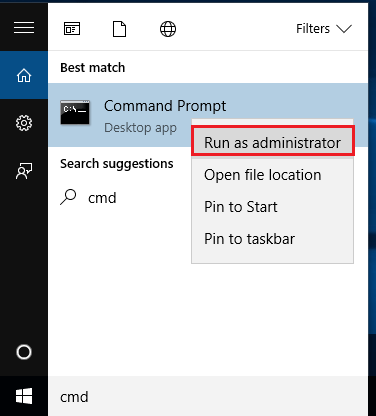
If you are using a standalone PsychoPy version older than 2023.1.0, you need to install psychopy-bids differently. First, open your terminal. To do this
- Select the Start button.
- Type "cmd".
- Select Command Prompt from the list.
To avoid possible problems, it is best to start Command Prompt as administrator.
To install psychopy-bids use "<path>\python.exe" -m pip install psychopy-bids. If you have installed PsychoPy to the standard installation folder, your path is most likely going to be C:\Program Files\PsychoPy. In this case, you would run the command "C:\Program Files\PsychoPy\python.exe" -m pip install psychopy-bids.
Anaconda and Miniconda (Linux, maxOS & Windows)
For information on how to start conda visit Getting started with conda.
We provide an environment file that can be used to install psychopy-bids and its dependencies. Download the file, open your terminal (or Anaconda Prompt if you are using Windows), navigate to the directory you saved the file to, and run:
This will create an environment named psychopy-bids. To activate the newly-created environment and run PsychoPy with the psychopy-bids plugin, execute:
Install script (Linux)
 curl -O https://raw.githubusercontent.com/wieluk/psychopy_linux_installer/main/psychopy_linux_installer
 chmod +x psychopy_linux_installer
 ./psychopy_linux_installer --additional-packages==psychopy-bids,seedir
Post-Installation Steps
Check PsychoPy Preferences
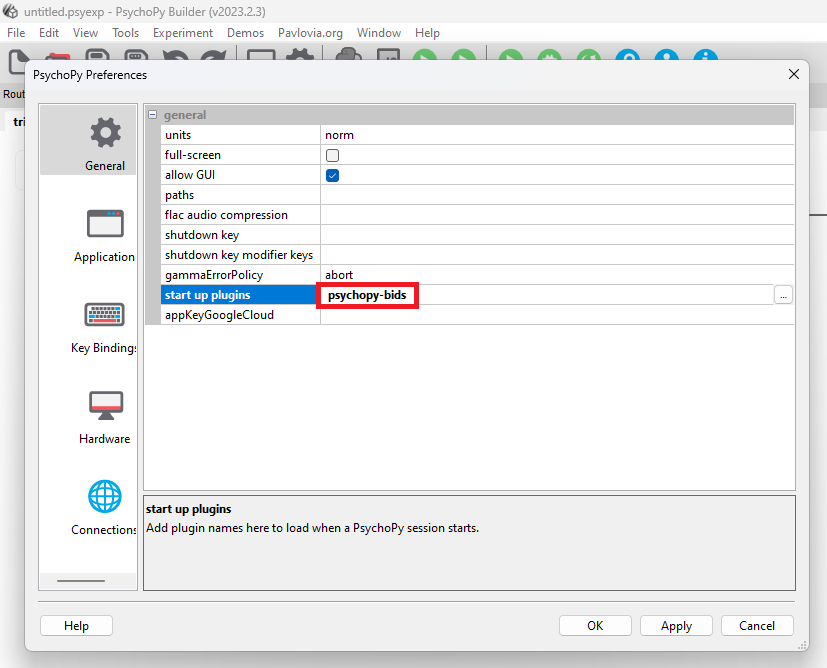
Select Preferences from the File menu. In the General menu, check to see if psychopy-bids is called at start up plugins. If not, add it and click OK. You will then need to restart the Builder for the changes to take effect.
Use the Components
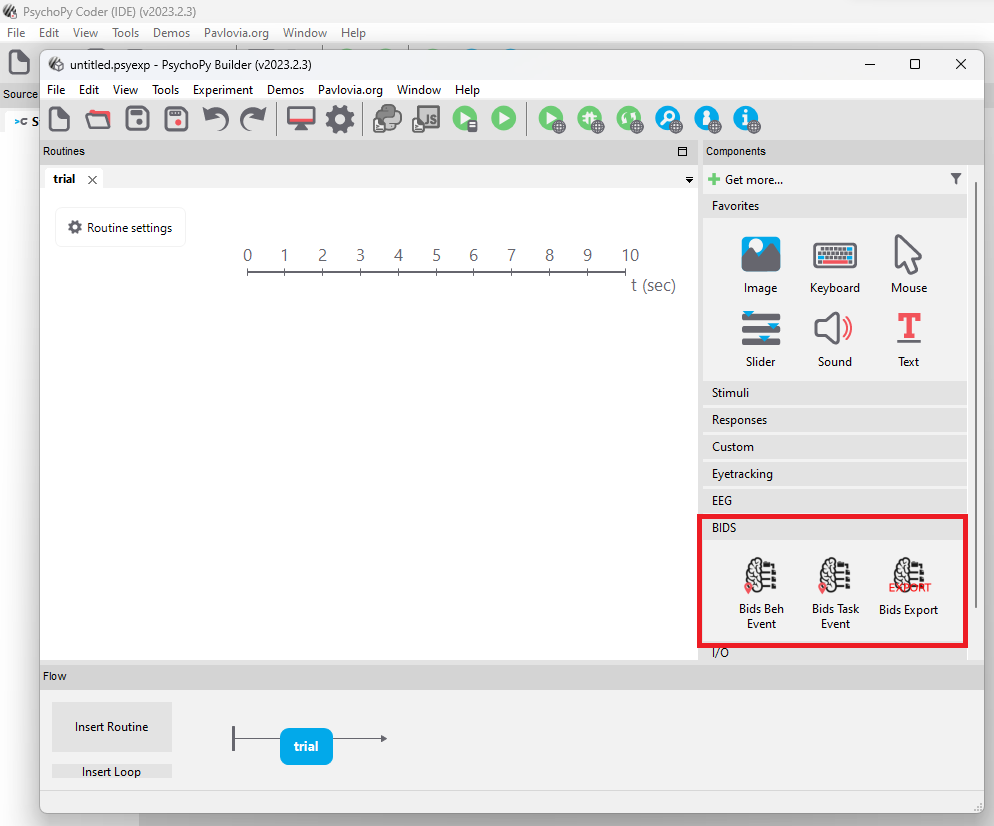
As you can see in the next figure the BIDS Beh Event component, the BIDS Task Event component and the BIDS Export routine are now available and ready to use.